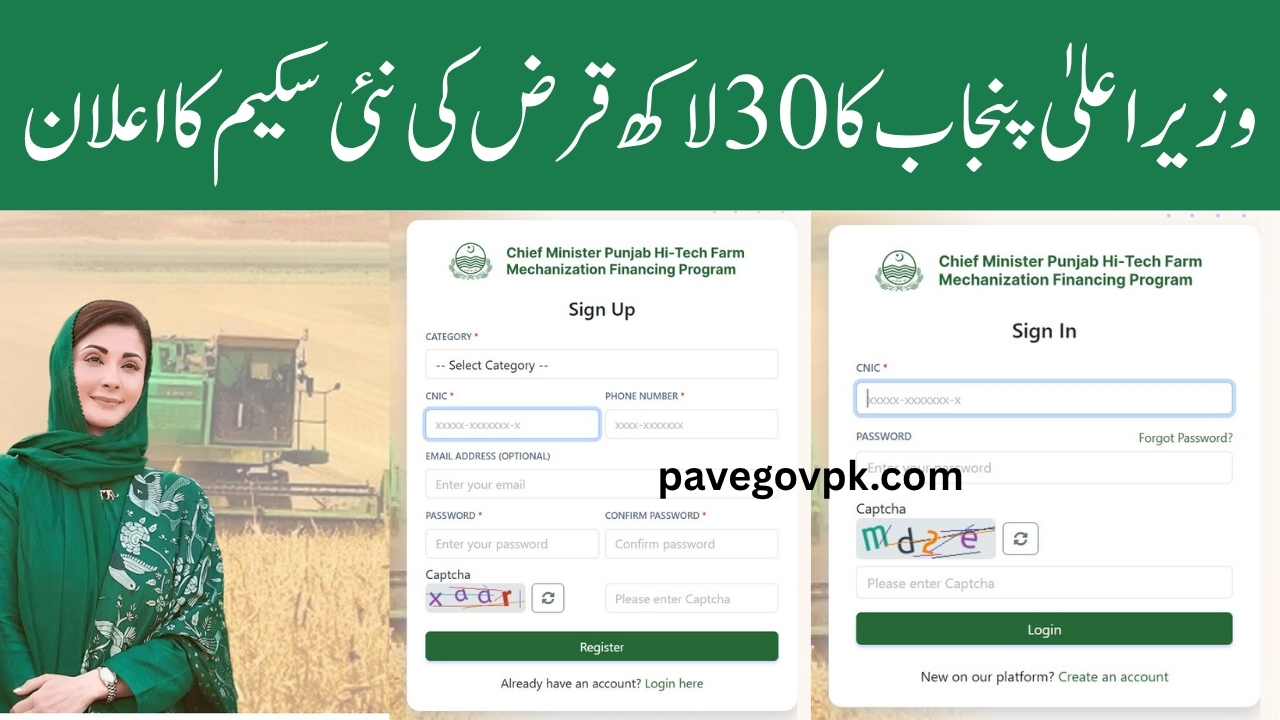
The Chief Minister Punjab Hi-Tech Farm Mechanization Financing Program allows farmers, entrepreneurs, and service providers to apply online for interest-free loans up to PKR 30 million to purchase high-tech agricultural machinery.
The online portal makes it easy for users to create an account, apply for a loan, and track application status. Below is a complete guide on how to register and log in to the system step by step.
cmhightech.punjab.gov.pk
The official web portal is cmhightech.punjab.gov.pk developed to simplify the application process for the High-Tech Farm Mechanization Interest-Free Loan Scheme 2025.
Through this portal, users can:
- Register as a farmer, service provider, or entrepreneur
- Submit an online loan application
- Upload documents securely
- Track loan status and verification
- Communicate with the Bank of Punjab and the Agriculture Department
The website ensures safe and transparent data handling through CNIC verification and captcha protection.
cmhightech.punjab.gov.pk Registration Process (Sign Up)
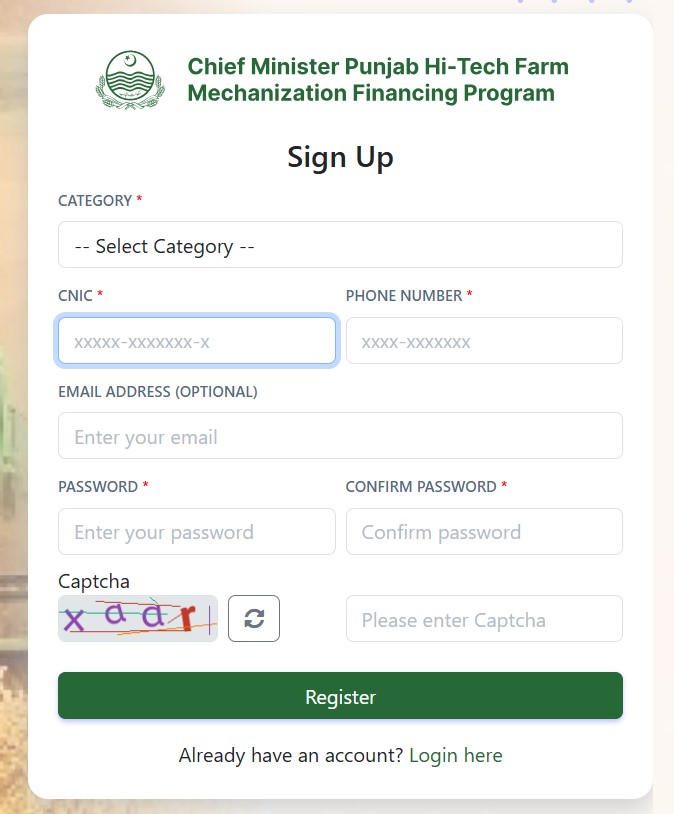
Before applying for the loan, each applicant must create an account on the official CM Hi-Tech Mechanization website. Here is how to complete the registration step by step:
Step 1: Visit the Official Portal
Open the official website cmhightech.punjab.gov.pk of the Chief Minister Punjab Hi-Tech Farm Mechanization Financing Program. You will find the Sign-Up and Login options on the main page.
Click on “Create an Account” to start the registration process.
Step 2: Choose Your Category
Select one of the following categories according to your eligibility:
- Farmer: For individuals owning at least 5 acres of agricultural land.
- Service Provider: For those registered with the Agriculture Department (Field Wing) who provide farming services to others.
- Entrepreneur: For businesspersons investing in agricultural machinery and holding a valid NTN number.
Choosing the correct category is essential because it determines what kind of machinery and loan terms you qualify for.
Step 3: Enter CNIC and Phone Number
In the registration form, enter your 13-digit CNIC number (without spaces or dashes) and your active mobile number.
Your mobile number must be registered in your name, as all verification messages and login OTPs will be sent there.
Example:
CNIC: 35202-1234567-9
Phone: 0300-1234567
Step 4: Add Email Address (Optional)
You may also enter a valid email address. This helps if you need to reset your password or receive loan updates later.
Step 5: Set a Strong Password
Create a password that includes letters, numbers, and symbols for better security.
Then re-enter the same password in the Confirm Password box.
Example:
Password: P@kFarm2025
Confirm Password: P@kFarm2025
Step 6: Complete the Captcha
Type the exact letters or numbers shown in the captcha image to verify you’re a human user.
If the captcha is unclear, click the refresh icon to generate a new one.
Step 7: Click “Register”
After filling in all details and completing the captcha, click the Register button.
Your account will be created, and a confirmation message will appear on the screen.
You may receive an SMS or email verification code to activate your account. Follow the link or enter the code as instructed.
Step 8: Account Activation
Once verification is complete, your account will become active. You can now log in to the system and start filling out the loan application form for high-tech agricultural machinery.
cmhightech.punjab.gov.pk Login Process (Sign In)
Once registered, you can easily log in to your account anytime to check your loan application, update details, or download receipts.
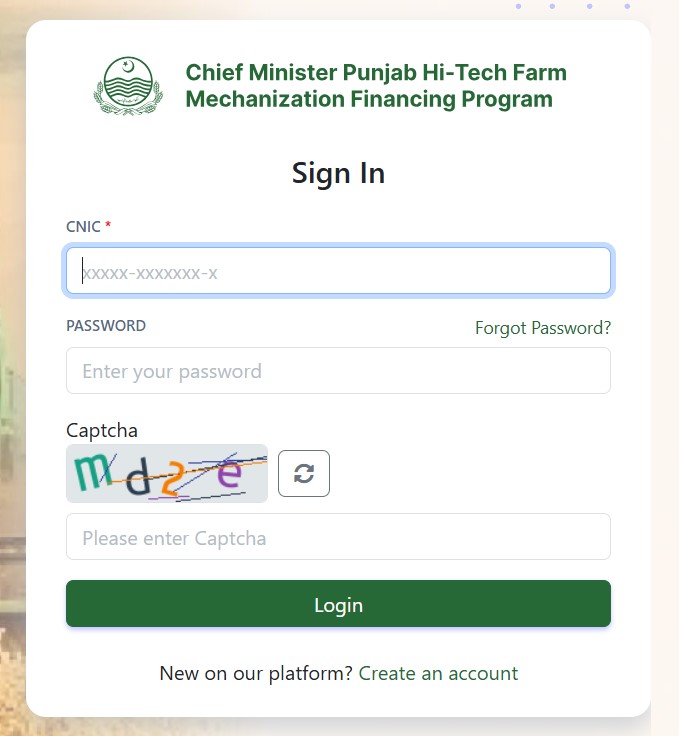
Follow these simple steps to log in:
Step 1: Go to the Login Page
Visit the same website and click Login or Sign In on the homepage.
Step 2: Enter CNIC
Type your CNIC number (without spaces or dashes) exactly as used during registration.
Example:35202-1234567-9
Step 3: Enter Your Password
Type the password you created during sign-up. Remember that passwords are case-sensitive, so check your Caps Lock key.
If you’ve forgotten your password, click “Forgot Password?” and follow the steps to reset it using your mobile number or email.
Step 4: Enter the Captcha
A captcha code will appear with random letters and numbers.
Type it exactly as shown to verify you are a human user.
If the captcha is unclear, click the refresh icon (⟳) to get a new one.
Step 5: Click “Login”
After entering your CNIC, password, and captcha correctly, click the Login button.
If your credentials are correct, you’ll enter your personal dashboard, where you can:
- View your application progress
- Upload or edit documents
- Track bank verification
- View messages or alerts from the Agriculture Department
- Print confirmation receipts
4. How to Recover Your Password
If you forget your password, you can easily recover it:
- Click “Forgot Password?” on the login page.
- Enter your CNIC number.
- You will receive a password reset link or code on your registered phone number or email.
- Create a new password and confirm it.
- Log in again using your new password.
5. Common Issues and Troubleshooting
Here are some common registration and login issues applicants face — and how to fix them:
| Problem | Possible Cause | Solution |
|---|---|---|
| CNIC not accepted | Typing error or invalid format | Use format: 35202-1234567-9 |
| OTP not received | Wrong mobile number | Use your own SIM registered under your name |
| Captcha error | Case sensitivity or wrong entry | Refresh the captcha and try again |
| Forgot password | Lost login details | Use the “Forgot Password” option |
| Website not loading | Slow internet or maintenance | Try again later or use another device |
6. Important Tips for Applicants
- Use Google Chrome or Microsoft Edge browser for best performance.
- Make sure your internet connection is stable during registration.
- Keep all your documents scanned and ready before applying.
- Always log out after using the portal to protect your data.
- Do not share your password with anyone.
7. After Successful Login
Once logged in successfully, you can:
- Select the machinery type you want to purchase.
- Upload all required documents such as CNIC, Fard, NTN, etc.
- Review and submit your application.
- Wait for bank and department verification.
- Track your application status anytime through the dashboard.
The Bank of Punjab will notify you through SMS or email once your loan is approved.
8. Security and Privacy
The online system uses secure encryption to protect your personal information.
The captcha verification, CNIC validation, and SMS verification ensure that only genuine applicants can access the system.
Your personal data is shared only with authorized departments like:
- Bank of Punjab
- Punjab Agriculture Department
- Government of Punjab Monitoring Units
9. Why the Online System Is Important
The online registration and login system is an important step toward digital governance and transparency.
It helps eliminate long queues, paperwork, and delays that were common in manual applications.
Farmers and entrepreneurs can now complete the entire process — from registration to approval — from their homes or offices, saving both time and cost.
10. Summary of the Registration & Login Process
| Process | Steps |
|---|---|
| Registration | Visit official portal → Select Category → Enter CNIC & Mobile → Add Email (optional) → Create Password → Enter Captcha → Click Register |
| Login | Visit portal → Enter CNIC → Enter Password → Type Captcha → Click Login |
| Forgot Password | Click “Forgot Password” → Enter CNIC → Get reset link → Create new password |
| Main Functions After Login | Apply for loan, upload documents, check status, track repayment |
Conclusion
The Chief Minister Punjab Hi-Tech Farm Mechanization Financing Program provides a transparent, user-friendly, and fully digital system for farmers and entrepreneurs to apply for interest-free loans.
By completing the simple registration and login process, applicants gain access to financial support for purchasing high-tech agricultural machinery, enabling them to modernize farming and increase productivity.
This digital system is not just a convenience — it represents Punjab’s step toward smart agriculture, empowering farmers and making Pakistan’s agriculture sector stronger and more efficient.